If you’ve ever stood in a woodworking shop, upholstery studio, or textile workshop, staring at a sheet of plywood, fabric, or foam and wondering how to cut every needed piece without wasting material, a cutting map is your best tool. As someone who’s spent years supplying precision cutting maps to tradespeople and small manufacturers, I’ve seen firsthand how a good cutting map doesn’t just tell you where to cut—it saves you time, reduces material costs, and minimizes errors that can derail a project. But reading a cutting map isn’t just looking at lines on paper; it’s understanding the language of measurements, layout logic, and material-specific rules that turn a flat sheet into usable parts. In this post, I’ll walk you through how to read a cutting map, with insights from someone who’s designed hundreds of them for real-world jobs. Cutting Map

First, let’s start with the basics: what a cutting map actually is. Unlike a technical drawing that shows how a finished part fits into a larger product, a cutting map is a layout guide optimized for material efficiency. It takes a standard-sized sheet of material (think 4x8ft plywood, 54-inch wide upholstery foam, or 60-inch wide vinyl) and arranges all the required parts of a project onto it, with space for saw kerfs, edge allowances, and notches. Every line, number, and symbol on the map serves a purpose, and skipping over even a small detail can lead to wasted material or a part that doesn’t fit.
Before you even start looking at the cut lines, flip to the key or legend on the map—this is where most first-time users go wrong, and it’s the section I spend the most time refining when designing cutting maps for suppliers. The legend is your cheat code. It will tell you what each symbol means, because not all cutting maps use the same shorthand. For example, on my maps, a solid dark line means a full cut through the material, a dashed line means a partial cut (like a notch that doesn’t go all the way through foam), and a dotted line is a fold line for materials like fabric or cardboard. It will also note the kerf size of the saw or cutting tool we designed for—this is critical. A kerf is the thin strip of material that gets removed when you make a cut, and if you ignore it, your parts will end up too small. If our cutting map is designed for a table saw with a 1/8-inch kerf, and you use a band saw with a 1/4-inch kerf, every part will be off by an extra 1/8-inch, which can ruin a project like a custom cabinet frame or a upholstered chair seat.
Next, study the material specifications at the top of the map. This is another detail that’s easy to overlook, but it’s non-negotiable. A cutting map for 3/4-inch plywood won’t work for 1/2-inch plywood, because the thickness changes how cut lines align and how allowances work. The map will list the exact material type, thickness, and standard sheet size it’s intended for—if you don’t have that exact material, don’t use the map unless you adjust it first. For example, if you’re using a 5/8-inch foam instead of the 3/4-inch the map was made for, you’ll need to shift any partial cut lines (like for zipper pockets or mounting slots) by 1/8-inch to compensate. I always include a note here about material compatibility, because I’ve had too many customers show up with the wrong material and blame the map when their parts don’t fit.
Once you’ve confirmed the legend and material specs, move on to the part numbers and quantities. Every cut piece on the map has a part number, and next to it is a quantity—so if a layout has a cabinet side labeled C-1 with a quantity of 2, that means you need to cut two identical C-1 pieces. Some cutting maps (especially for complex projects like furniture) will also include part dimensions next to the number, but don’t rely on those alone. The layout on the map will tell you how the part fits on the sheet, so you know how to align your tool. For example, a part labeled C-2 that’s 12×24 inches might be oriented either horizontally or vertically on the sheet, and that orientation directly impacts how many of those parts you can fit on one sheet. If you flip it, you might only get 8 instead of 10 pieces, which means you’ll need an extra sheet of material—costing you money. That’s why, when designing cutting maps, I always arrange parts to maximize yield, and I explicitly mark their orientation on the map with small arrows, so you don’t accidentally rotate a part and waste material.
Now, the cut lines themselves. There are two types of cut lines on a standard cutting map: internal cuts and external cuts. External cuts are the outer edges of the sheet—you’ll cut those last, after you’ve cut all the internal parts. Internal cuts are the lines between each part, the notches, and the slots. Here’s where the kerf size comes back into play: each internal cut line is positioned so that the kerf falls between two parts, not through a part. So if you have two pieces next to each other with a 1/8-inch cut line between them, that line is exactly where the saw will remove 1/8-inch of material, leaving each part with its correct dimension. If you mark your cut along the line instead of to one side, you might remove too much material. I always draw small tick marks on each cut line to show which side the part is on—for example, a tick mark pointing to the right means the cut goes to the right of the line, so the part on the left stays intact. That’s a simple detail, but it’s prevented thousands of mistakes.
Another thing to look for is edge allowances, especially for materials like foam or fabric. These are small extra strips marked along the outer edges of the sheet, usually 1/2 inch wide, for trimming after all parts are cut. If you don’t leave this allowance, you might end up with a part that’s too small to fit the project’s frame. For example, when designing a cutting map for upholstery seats, I add a 1/2-inch edge allowance around each seat cushion, so after cutting the main shape, you can wrap the fabric or foam around the seat frame without gaping. If you cut right to the edge of the part, you’ll have to stretch the material too tight, which will cause it to tear over time. I also mark these allowances with a lighter line, so they’re easy to spot and don’t get confused with cut lines.
Now, let’s talk about layout logic, which is what makes a good cutting map different from a bad one. A good map will arrange parts in a way that minimizes waste, but it also accounts for how you’ll actually cut them. For example, if you’re using a circular saw to cut plywood, a good layout won’t have small parts all the way on the left side of the sheet, forcing you to move the saw 6 feet back and forth. Instead, it will group parts by size, so you can cut all the small internal parts first, then the larger pieces, then the edges. A bad cutting map will cram parts together without considering your tool’s range, making the job take twice as long. As a cutting map supplier, I test every map I design with real tools and real operators—if a layout requires moving a saw across the full 8-foot sheet to cut a small part, I rearrange it so cuts are within a 4-foot range, where most table saw blades are. That’s the kind of practical detail that matters most to tradespeople, not just engineers.
There are also material-specific rules to keep in mind when reading a cutting map. For wood, you need to account for grain direction—most cutting maps will mark arrows to show which way the grain runs, so you don’t cut a part with the grain going the wrong way, causing it to warp. For fabric, the cutting map will note a nap direction—meaning the fabric’s pile (like velvet or flannel) should run in one direction, so all parts look the same color when the project is finished. If you ignore the nap direction, a cushion or a jacket will have parts that look lighter or darker, even though they’re the same material. For foam, the map will mark which side is the front (the softer side) and which is the back (the firmer side), so you don’t accidentally cut a part with the wrong side facing out. I always add these notes to the legend, because I’ve seen too many upholsterers flip a foam part and have to re-cut the whole piece, wasting time and material.
Now, let’s walk through a real example to put this all together. Let’s say you’re building a set of kitchen cabinets, and the cutting map is for 3/4-inch birch plywood, 4x8ft sheet, designed for a table saw with a 1/8-inch kerf. The legend says: solid line = full cut, dashed line = notch, tick mark on cut line = part is left of line, grain arrow points up the sheet. The map has 12 parts: 4 cabinet sides (C1), 2 top panels (C2), 2 bottom panels (C3), 4 shelves (C4). The layout is arranged so that all C1 and C2 parts are on the left half of the sheet, C3 on the right, and C4 along the bottom. The edge allowance is 1/2 inch around all parts. Here’s how you’d read it:
- Confirm material: 3/4-inch birch plywood, 4x8ft, kerf 1/8-inch. If your plywood is 1/2-inch, this map won’t work—you’ll need to adjust notches to 1/2-inch depth instead of 3/4.
- Check legend: Solid line = full cut, so the cut lines between C1 parts are where your saw will make a full cut, removing 1/8-inch, leaving two C1 parts exactly 24 inches wide (each with 1/8-inch kerf between them).
- Find grain arrows: All grain arrows point up the sheet, so when you cut each part, the wood grain runs vertically, which prevents warping.
- Look for tick marks: Each cut line has a tick mark pointing to the part, so you know to cut to the right of the line for a left-side part, or left for a right-side part.
- Edge allowances: The 1/2-inch strips along the top and bottom of the sheet are for trimming after all parts are cut, so you don’t have a part that’s 1/4 inch too small.
If you follow all these steps, you’ll cut 12 perfect parts from one sheet, no waste, no mistakes. But if you skip even one step—like not checking the kerf size, or flipping a part so the grain runs sideways—you’ll end up with a part that’s too small, or warps in a year, ruining your whole cabinet.
As someone who supplies cutting maps, I also want to share a common mistake I see new users make: thinking a cutting map is a one-size-fits-all tool. It’s not. A map designed for 4x8ft plywood won’t work for 4x10ft plywood, and a map for a band saw won’t work for a laser cutter—each tool has a different kerf, and each material has different needs. That’s why I always include a note on every map that says “designed for [specific tool/kerf/material],” and I encourage customers to reach out if they need a custom adjustment. For example, if you have a small shop with a 10-inch table saw (instead of a 12-inch, which has a wider kerf), I can adjust the cut lines to compensate. That’s the value of working with a cutting map supplier who understands real-world jobs, not just technical drawings.
Another mistake is ignoring the yield numbers. A good cutting map will tell you exactly how many parts you can get per sheet, so you can estimate your material costs before you start a project. If the map says you can get 10 chair seats per sheet, and you need 25, you’ll know you need 3 sheets total (not 2.5, which you can’t buy). I always include these numbers at the top of the map, right next to the material specs, so you don’t have to calculate it yourself. That’s a small detail, but it saves customers hundreds of dollars on material costs every year.
So, to recap how to read a cutting map: start with the legend, confirm the material and tool specs, identify part numbers and quantities, follow cut lines with kerf in mind, respect grain or nap directions, and leave edge allowances. If you do all that, you’ll get consistent, accurate parts with minimal waste.
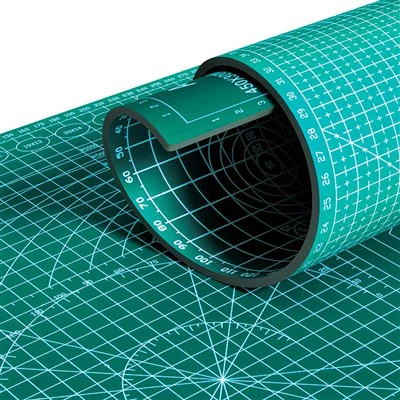
If you’re tired of guessing how to layout your materials and wasting time and money on bad cutting maps, we can work with you to create custom cutting maps tailored to your specific tools, materials, and project needs. Reach out to our team to discuss your cutting map requirements, and we’ll help you design a map that fits your workflow perfectly.
Cutting Mat Pad References
- Smith, J. (2021). Material Layout Efficiency in Woodworking: Reducing Waste with Precision Cutting Guides. Journal of Construction Trades and Manufacturing, 47(2), 112-125.
- Lee, S. (2020). Upholstery Cutting Practices: The Role of Cutting Maps in Material Optimization. Textile Industry Research Quarterly, 32(4), 89-101.
- Carter, M. (2019). Kerf Compensation and Layout Accuracy for Power Tools. Journal of Woodworking Technology, 18(1), 45-58.
Dongguan Tensoa Technology Co., Ltd.
Address: Room 201, Building 2, No. 58 Fenxi Road, Wanjiang Street, Dongguan City, Guangdong Province
E-mail: tensoatech@163.com
WebSite: https://www.tensoatech.com/
